

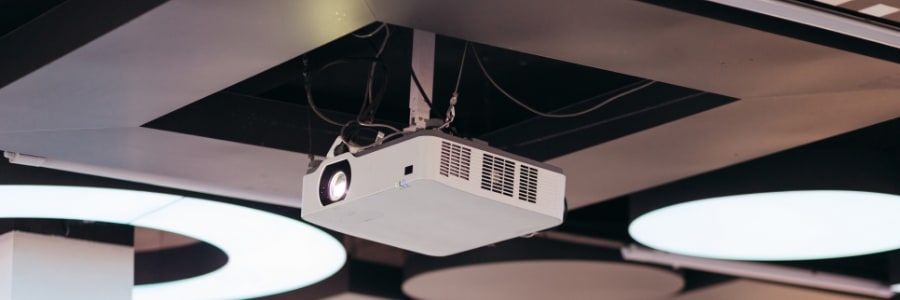
A projector can transform how your team presents, collaborates, and communicates, but only if you buy the right one. Walk into any audiovisual system retailer or browse a few product listings and you’ll quickly find that the spec sheets are long and the differences between models aren’t always obvious. This guide cuts through the noise and focuses on the five things that matter most when choosing a projector for your business.
Brightness
Brightness is the single most important specification for a conference room projector. A projector that looks perfectly adequate in a darkened demo room can produce washed-out, difficult-to-read images in a typical office with windows and overhead lighting.
Brightness is measured in ANSI lumens — a standardized rating that lets you compare projectors accurately across brands. For a room where you can control the lighting, 2,000 to 3,000 lumens is a solid starting point. However, if you’re in a room with significant ambient lighting (e.g., large windows and bright overhead fixtures), get a projector that can illuminate 3,500 lumens or more. The rule of thumb is simple: when in doubt, buy more brightness than you think you need. You can always dim a projector, but you can’t compensate for one that’s underpowered for the room.
Connectivity
A projector is only useful if it can connect to the devices your team actually uses. Older models may offer only Video Graphics Array (VGA) connections, which limits compatibility with modern laptops and presentation systems that have moved on from that standard. Look for projectors with HDMI connections, since these handle both audio and video over a single cable and are supported by virtually every current laptop, tablet, and desktop.
Beyond HDMI, consider whether wireless connectivity matters for your environment. Projectors with built-in Wi-Fi allow presenters to connect without hunting for cables, which removes a common source of meeting delays. USB-C connectivity is also increasingly valuable as more business laptops drop traditional ports in favor of USB-C only.
Projection type
There are two main categories of conference room projectors: fixed installation models designed to be ceiling-mounted, and portable front projectors that sit on a table or cart. Each has genuine advantages depending on how your space is used.
Ceiling-mounted projectors free up table space, eliminate the cable-tripping hazard of a table-mounted unit, and typically support both front and rear projection configurations. Keep in mind that they do require professional installation and are less practical for spaces that are reconfigured frequently.
On the other hand, portable front projectors are more flexible since they can move between rooms or locations. However, they need to be set up each time and take up table space. For dedicated conference rooms used primarily for presentations, a ceiling-mounted installation is usually the cleaner long-term solution.
Contrast ratio
Contrast ratio determines how clear and defined the projected image looks. It measures the difference between the darkest black and the brightest white the projector can produce. A higher contrast ratio means sharper text, more defined images, and better readability, which is vital for displaying spreadsheets, detailed charts, or dense presentation slides.
For most business presentations, a contrast ratio of 2,000:1 or higher provides a noticeable improvement over entry-level projectors. Higher-end models can reach 10,000:1 and beyond, though the practical difference diminishes in well-lit rooms where ambient light already limits perceived contrast.
Resolution
Resolution determines the sharpness and detail of the projected image. For business use, 1080p (Full HD, 1920×1080) is the recommended minimum. Lower resolutions, such as older Extended Graphics Array (1024×768) projectors still found in older office installations, can make text appear blurry or jagged at larger display sizes.
If your team regularly presents high-detail content (e.g., architectural drawings, financial models, or any visual where fine detail matters), a 4K projector may be worth the investment. For standard slideshows, video calls, and document sharing, 1080p delivers more than sufficient clarity for typical conference room screen sizes.
Thinking about upgrading your conference room setup or expanding into a new space? We can help you evaluate projector options that match your rooms, your budget, and the way your team works. Contact us to discuss your hardware needs.